
The White-Label HighLevel Client Support Library
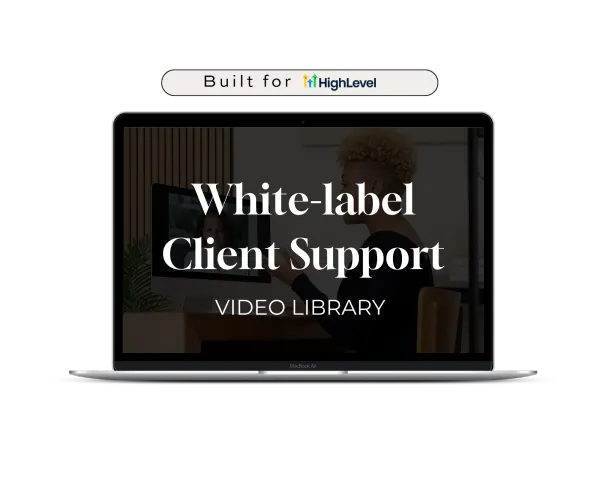
An importable HighLevel Snapshot containing 50 unbranded, auto-updating video tutorials. Import it in 1-click, brand it as your own, and give your clients instant 24/7 video support inside their account portal.

Here's how it works
Install a premium onboarding training vault in three steps:
Step 1: Import Your Snapshot
Click your instant-access snapshot link to deploy the complete, pre-built video portal straight into your HighLevel account.

Step 2: Submit Your Portal Domain
Paste your GHL Client Portal domain into our quick 1-minute activation form so we can authorize video streaming for your account.
Step 3: Trigger at Client Handoff
Grant access to your clients at off-boarding (or whenever you prefer). They get instant, 24/7 answers to common platform questions, and you get to look like you delivered premium setup seervice without recording a single Loom video.
CORE FEATURES
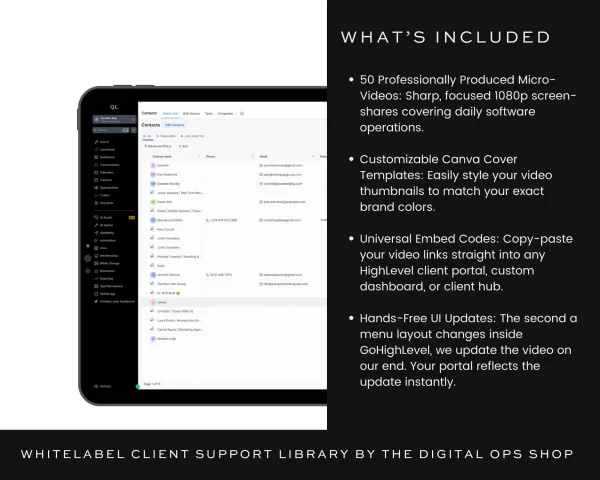
100% White-Labeled: Zero logos, zero watermarks, and absolutely no mention of outside brands. To your client, this training came straight from your brain.
Visual & Easy to Follow: Every video is structured with clear, step-by-step logic and subtle on-screen indicators highlighting exactly where to click. Even the most tech-phobic client can follow along.
Automatic UI Updates: HighLevel changes its interface constantly. When major platform shifts happen, the videos update automatically inside your snapshot embeds.
50 Videos Covering 90% of Client Questions
The library is cleanly segmented into digestible, searchable categories so your clients can troubleshoot common platform questions instantly.
*Avg video length 60-90 seconds
Getting Started: Where things live and how to move around HighLevel. Start here on day one — login, sidebar navigation, and the basics every new user needs.
Conversations, Calendars & Contacts: The daily inbox, scheduling, and customer record management. This handles basic client questions like "How do I reschedule this appointment?" or "Where did this lead info go?" so your inbox stays quiet.
Opportunities & Payments: Tracking sales through your pipeline and managing money flowing in — invoices, contracts, payment links, and orders.
Marketing: Sending email campaigns, using trigger links, and managing tags in HighLevel.
Workflows: Shows them how their automations function without giving them the opportunity to accidentally break them. Perfect for getting clients comfortable with their tech without them messaging you, "Did this email actually go out?"
Sites: Safely editing text, managing blog posts, and using existing forms. Clients learn how to update their own copy without accidentally deleting sections or breaking your design layouts.
Memberships: Managing your existing courses, lessons, and member access in HighLevel.
Settings & System Management: Personal profiles, notification preferences, and basic settings. Perfect for onboarding your client’s team members without you having to manually troubleshoot their individual notification setups.
50 Videos Covering 90% of Client Questions
The library is cleanly segmented into digestible, searchable categories so your clients can troubleshoot common platform questions instantly.
*Avg video length 60-90 seconds
Getting Started: Where things live and how to move around HighLevel. Start here on day one — login, sidebar navigation, and the basics every new user needs.
Conversations, Calendars & Contacts: The daily inbox, scheduling, and customer record management. This handles basic client questions like "How do I reschedule this appointment?" or "Where did this lead info go?" so your inbox stays quiet.
Opportunities & Payments: Tracking sales through your pipeline and managing money flowing in — invoices, contracts, payment links, and orders.
Marketing: Sending email campaigns, using trigger links, and managing tags in HighLevel.
Workflows: Shows them how their automations function without giving them the opportunity to accidentally break them. Perfect for getting clients comfortable with their tech without them messaging you, "Did this email actually go out?"
Sites: Safely editing text, managing blog posts, and using existing forms. Clients learn how to update their own copy without accidentally deleting sections or breaking your design layouts.
Memberships: Managing your existing courses, lessons, and member access in HighLevel.
Settings & System Management: Personal profiles, notification preferences, and basic settings. Perfect for onboarding your client’s team members without you having to manually troubleshoot their individual notification setups.
Who is this for?
Service providers want to provide a luxury,
high-end off-boarding experience without sacrificing their personal capacity.
THE SOLO OPERATions consultant
Managing backend ops and protecting delivery capacity
The technical Virtual Assistant
Deploying client setups and sick of recording repetitive looms
the crm systems builder
Architecting workflows who wants to command premium rates.
WHO IT'S NOT FOR
This library is strictly NOT for agencies.
If you run a massive agency go build your own resources from scratch.
(I said what I said)
Click to See a Sample Video
Frequently Asked Questions
Are the videos truly unbranded?
Yes. There are zero watermarks, logos, or verbal mentions of external brands. The screens use standard system layouts, ensuring your clients view it as your own native resources.
What happens when High-Level changes its UI?
You don't lift a finger. Because the videos are embedded via our master dashboard, we handle all updates on our end whenever layout changes occur. The videos update inside your client accounts automatically.
What is the average video length?
The goal is micro-learning. Most videos are between 2 to 5 minutes. They are intentionally built for rapid execution so your clients get answers without watching long webinars.
What if a video is missing?
The library captures 90% of day-to-day core usage across conversations, contacts, workflows, and settings. If a major foundational platform feature is needed, it is included in our system core updates.
Add to Cart
WhiteLabel Client Support Video Library
$500.00
Quantity
I build custom HighLevel setups for service businesses and provide the templates and toolkits for other service pros to do the same.
HighLevel Certified Admin
On this side of the internet we fully celebrate all colors, genders, and lifestyles and fully back minority and LGBTQ led businesses.
And honey, if you can’t roll with that consider this one less tab in your browser to keep open.