
CASE STUDY • AIRTABLE • CUSTOM BUILD
Building an Airtable Operational Help Desk Behind a Fuel Delivery Application
Learn how an on-demand fuel delivery company deployed Airtable as a working operations layer over a custom Snowflake database—giving separate office, dispatch, and management teams a live look at active fleet logistics.
PROJECT SNAPSHOT
CLIENT TYPE
Subscription fuel-delivery service — app-driven, fleet operation
INDUSTRY
Logistics & on-demand delivery
ENGAGEMENT
Custom Build — design, integration, training
TIMELINE
4 Weeks
TOOLS
Airtable
Zapier
Snowflake
SKILLS
Relational Database Design
Systems Integration
Compliant Intake
Subscription Billing
INTEGRATIONS
Snowflake Custom built app
Quickbooks
MIGRATED FROM
No Migration
- THE problem
What was broken and what they needed.
The client operates an app-driven, subscription-based fuel delivery business. Customers utilize a mobile application to purchase monthly memberships and request automated fuel routing, either on demand or via a pre-scheduled recurring profile.
The entire transaction and technical scheduling pipeline was powered by a custom application built on Snowflake. While the database architecture functioned correctly, the office staff had no usable visual interface to run the daily business operations from. The customer service agents, call center operators, and dispatch managers had no realistic way to navigate or make sense of raw Snowflake data.
They wanted to introduce Airtable as their central operational workspace. To make this change successful, they needed a deep relational database structure containing specialized team interfaces, background task automations, and direct field-mapping connections to both sides of the master application so the office could view the exact same real-time data as the drivers on the road.
The Solution: A centralized operational desk was custom-built in Airtable. By connecting the base to both the client-facing and fleet-facing sides of the core application, the system maps live workflow updates to four separate role-based dashboards, translating raw backend code into an active operations map.
- THE SYSTEM
How it connects
- the build
Key highlights from the build.
01
The app and the base had to agree on every workflow.
If a status means one thing in the app and another to staff, the operation stalls.
See the logic +Close −
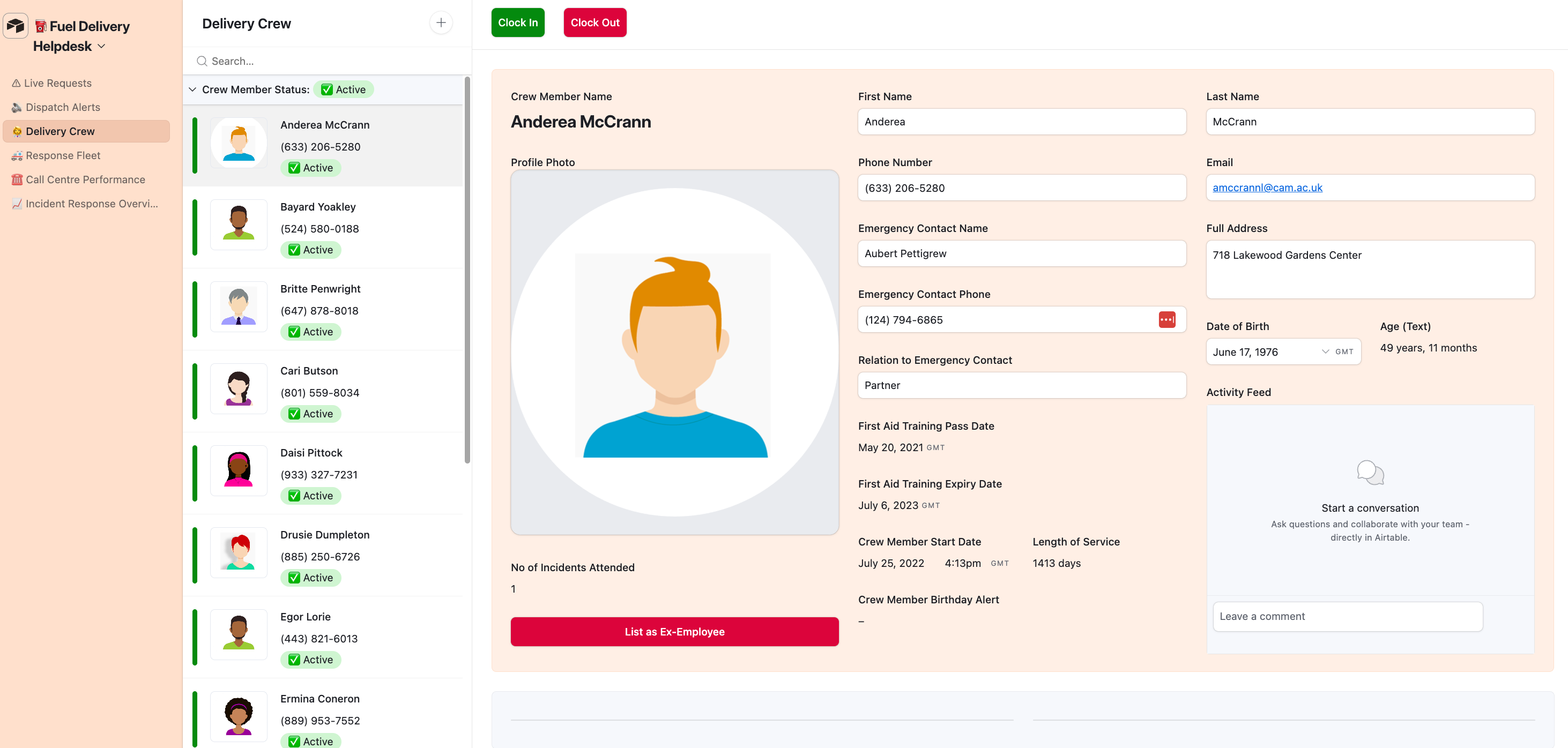
If a status label means one thing to the software developers and something completely different to the support staff, the operation will stall. I worked directly alongside the client's engineering team to map every background script and field connection explicitly.
This deep data sync ensures that active employee clock-ins, vehicle tracking coordinates, and completed delivery states remain identical across both software platforms.
02
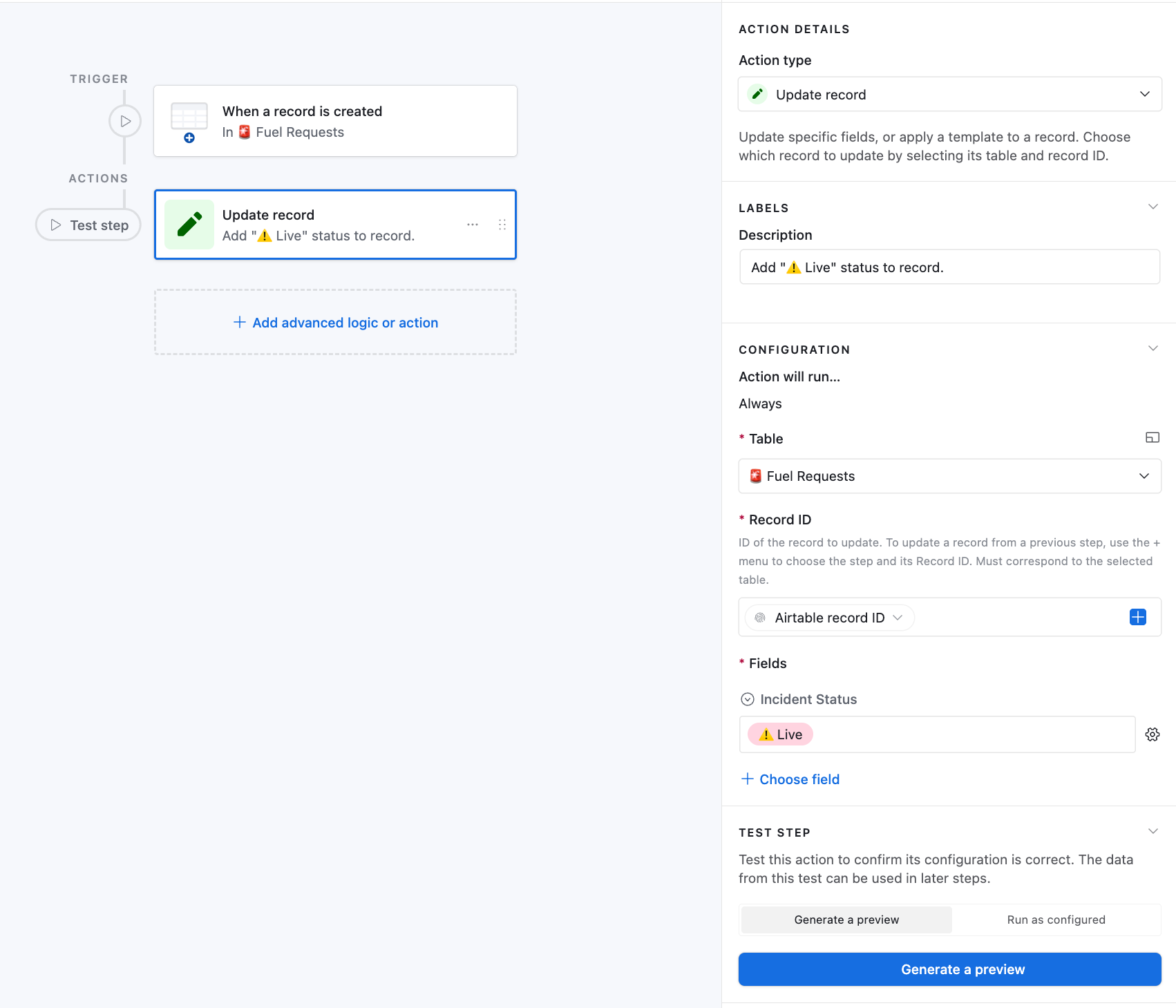
A new request goes live on its own.
No one logs in to check in. The status sets itself.
See the logic +Close −
If field technicians are required to manually log into a dashboard to check themselves in at every site, tracking metrics will drop. The system handles this via background tracking scripts that trigger the second an order clears.
Driver tracking feeds directly into the master table, providing support staff with an automated live map of field activity, backed by a simple voice-line fallback if internet connections drop.
03
No truck gets assigned twice.
A vehicle checklist is inventory. Live vehicle state is a dispatch tool.
See the logic +Close −
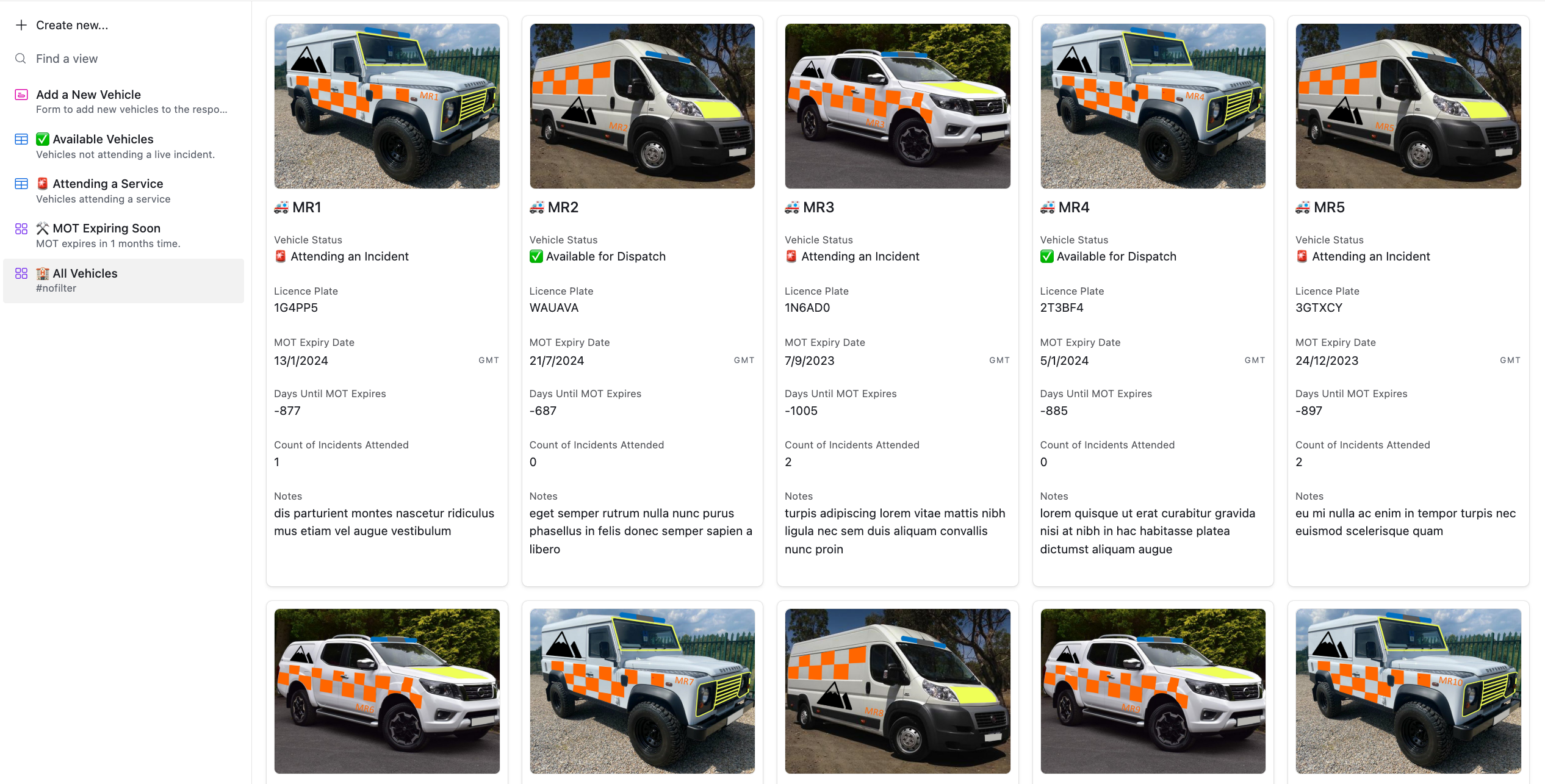
A fleet dashboard that only displays a checklist of vehicles is just a static inventory. To transform it into a true dispatch tool, the database tracks live vehicle states.
Before dispatchers assign a driver, the system analyzes whether the truck is available, out on an active route, or down for repairs\u2014preventing accidental double-bookings while tracking routine registration renewal timelines simultaneously.
04
Reception and the call center cover different people.
Customer inquiries and driver comms don't belong in the same workspace.
See the logic +Close −
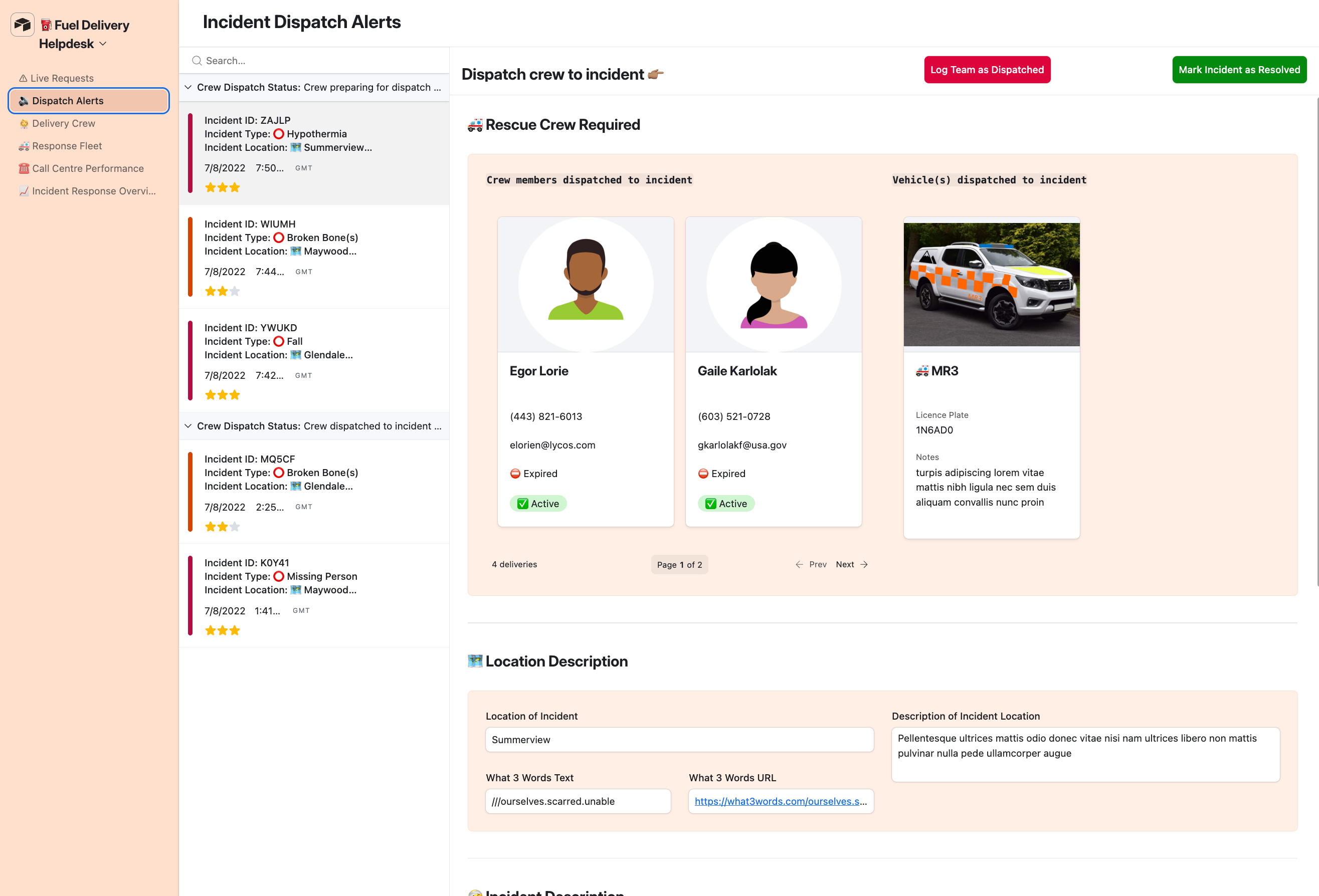
Mixing inbound customer inquiries with internal driver communications creates massive operational delays. The system divides these actions into separate dashboards.
The customer support team operates an intake interface designed to log client property incidents, while dispatchers use a separate interface to monitor driver routes and field safety issues without cluttering each other's workspaces.
05
Management got the numbers without opening a table.
Owners shouldn't wade through spreadsheets to read the business day.
See the logic +Close −
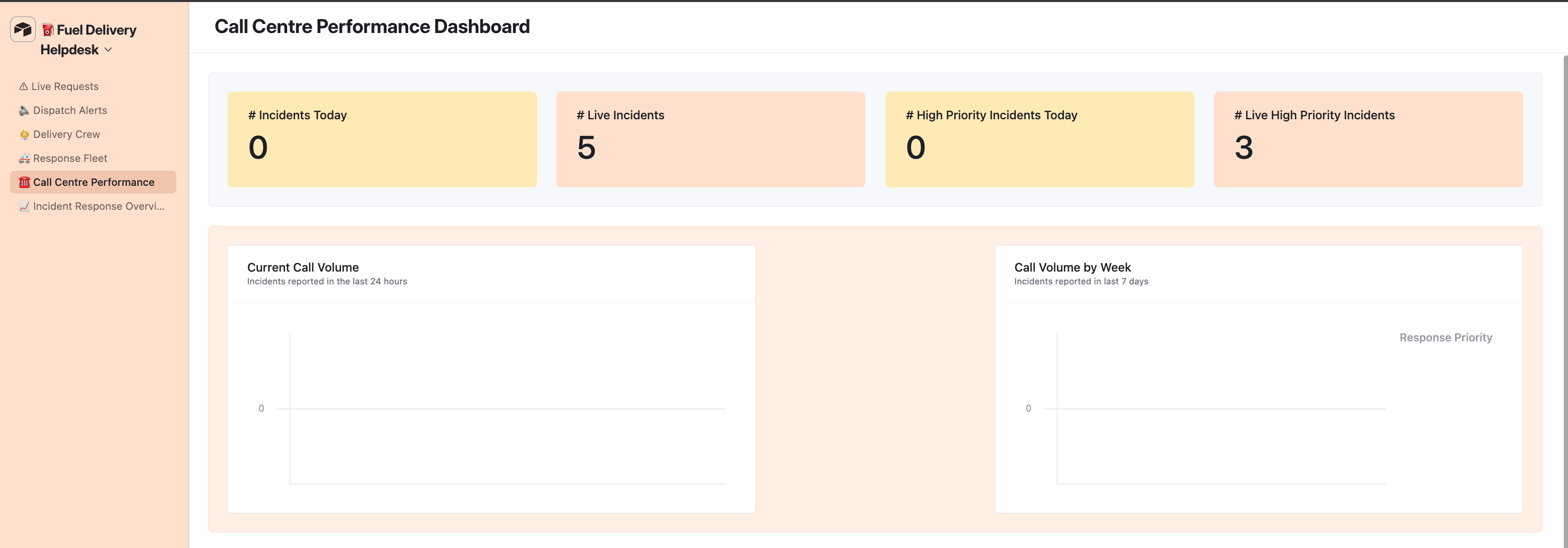
Executive owners should never have to wade through raw spreadsheets to check if a business day went well. We deployed automated data rollup dashboards that aggregate macro delivery metrics, live tracking calendars, daily call center volumes, and active risk reports into a single screen.
Leadership can analyze program performance instantly.
- THE LIFECYCLE
How the client moves through it.
- the SHIFT
What changed for the business.
FOR MANAGEMENT
The whole operation, in one base.
Fleet, crew, requests, and incidents in one place they can actually maintain — instead of a powerful app no one in the office was going to log into.
FOR THE TEAMS
A view that fits the job.
Each team opens an interface built for what they do, and the live status, clock-ins, and assignments are already there — pushed in from the app, not typed in by hand.
FOR THE CUSTOMER
A delivery that's actually tracked.
From the request to the truck on site to the resolve, every step is logged — and if something goes wrong, there's a line to call and a record waiting on the other end.
- IN HIS WORDS
"Qwantel was incredible to work with, and was extremely thorough and helped us feel confident in
managing all that was setup! This was a great experience."
JASON | FUEL DELIVERY APP, IT MANAGER
READY TO WORK?
Ready to work together?
Now that you've seen what we can do for other clients,
let's get started on your project!
HighLevel systems for service businesses.
HighLevel Certified Specialist.
On this side of the internet we fully celebrate all colors, genders, and lifestyles and fully back minority and LGBTQ led businesses.
And honey, if you can’t roll with that consider this one less tab in your browser to keep open.
Based in Atlanta. Working with service businesses nationwide.