
CASE STUDY • Airtable • custom build
Building one Airtable database that feeds three interfaces behind a high-volume coaching program.
See how a high-ticket accelerator gave each account manager a clean view of their own roster — and gave the founder the whole program at a glance — by building one Airtable database behind their existing HighLevel.
PROJECT SNAPSHOT
CLIENT TYPE
Coaching company — scales online coaches with ads + systems
INDUSTRY
Coaching & business education
ENGAGEMENT
Custom Airtable build (alongside their HighLevel)
TIMELINE
2 Weeks
TOOLS
HighLevel
Airtable
SKILLS
CRM Architecture
Custom Objects
INTEGRATIONS
HighLevel ↔ Airtable (via Zapier). I used Zapier for reliability even though HighLevel has a direct connection to Airtable.
MIGRATED FROM
No migrations for this build
- THE problem
What was broken and what they needed.
This company helps online coaches scale with ads and backend systems. They run a fast-growing accelerator and mastermind program, utilizing a team of account managers who each carry a heavy roster of one-to-one clients.
They already used HighLevel to handle their front-end sales and pipelines, but they were missing a dedicated execution engine behind it. When a single coach is responsible for 30, 40, or 60 clients at once, a standard spreadsheet falls apart. The team was losing track of start dates, program weeks, payment structures, and vital client milestone metrics.
They needed a centralized source of truth that could display data dynamically based on who was looking at it. The business owner needed the high-level pattern of the whole program, the individual coaches needed to see only their specific client rosters, and the records themselves had to be deep enough to run a coaching session from.
The Solution: The entire client management engine was built in Airtable. By creating a unified data layer underneath, the system feeds three distinct dashboards simultaneously—keeping the team synchronized without data duplication.
- THE SYSTEM
How it connects
- the build
Key highlights from the build.
01
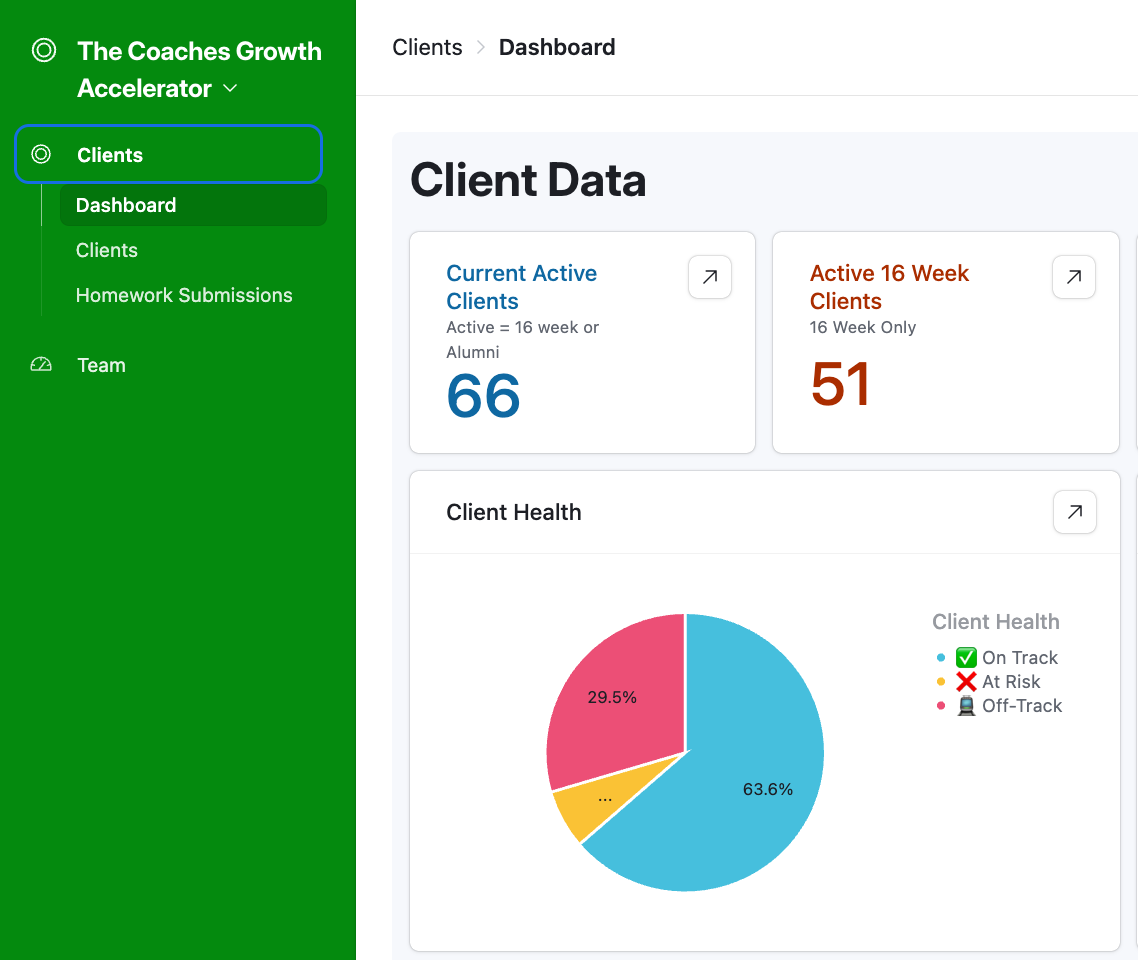
One dataset, three dashboards — everyone sees only what's theirs.
Storing data isn't the job. Showing the right slice to the right person is.
See the logic +Close −
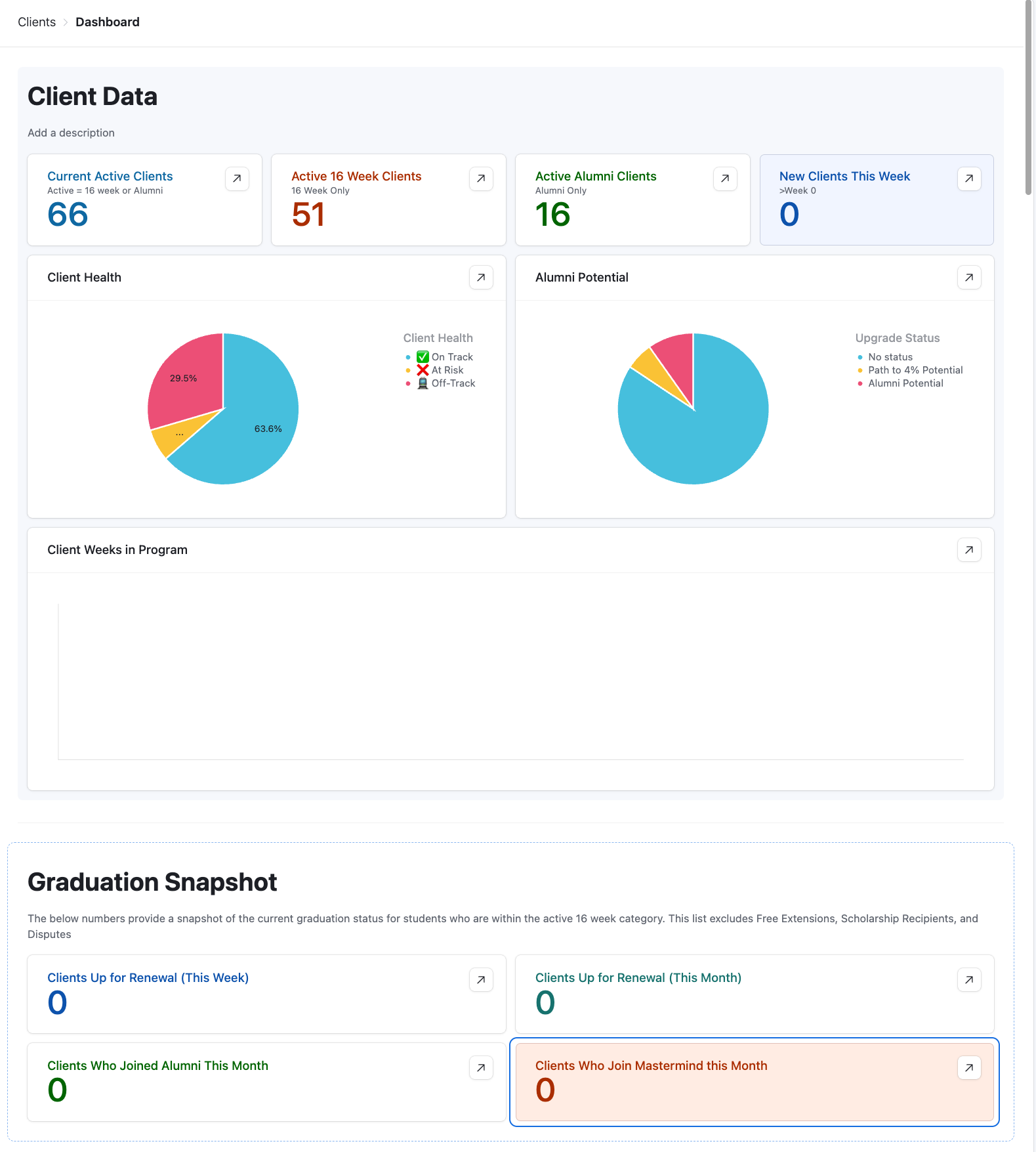
Managing client operations at scale isn't just about storing information; it's about showing the right slice of data to the right person. I built all three dashboard interfaces off a single, linked database.
When a coach updates a client's status, that change automatically reflects on the business dashboard and the master roster instantly without manual cross-posting.
02
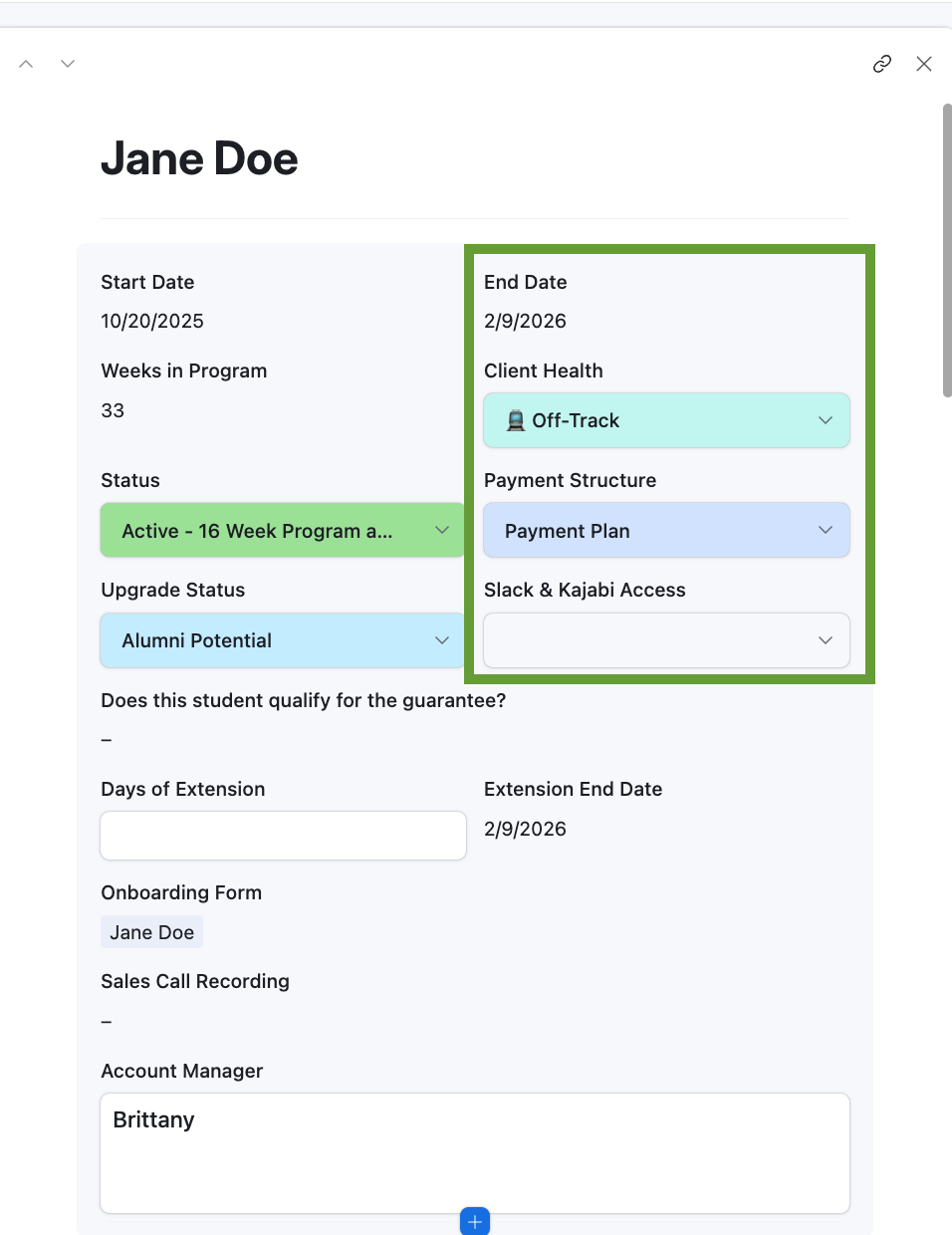
Client health and activation points tracked at the record level.
Finding out at week 16 that a client is unhappy is how you lose them.
See the logic +Close −
Waiting until week 16 to find out a client is unhappy is a recipe for churn. Every client record tracks early activation points\u2014like whether they booked their strategy call within 2 days or hit a specific revenue milestone within 14 days.
These signals roll up to the main dashboard so coaches can spot struggling accounts before they quietly slip away.
03
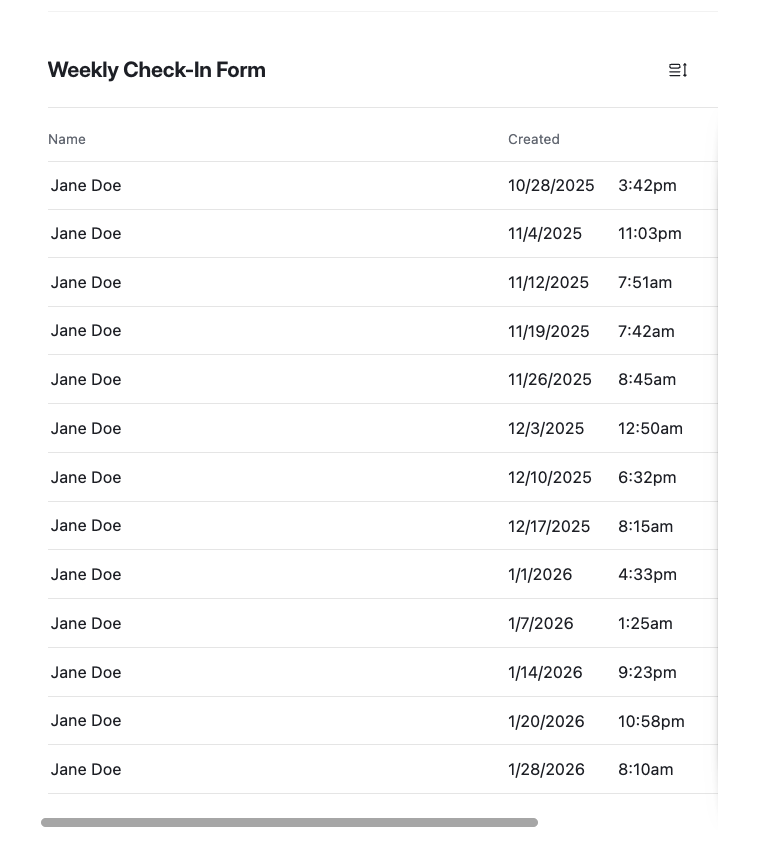
Weekly check-ins that route to the right coach, flagged for review.
In a high-touch program, a check-in can't vanish into an inbox.
See the logic +Close −
In a high-touch program, student check-ins cannot disappear into a messy inbox pile. The system automatically captures weekly submissions, links them to the master client record, and flags them as a task marked \u201cready for review\u201d directly on the assigned coach's view with a strict due date.
04
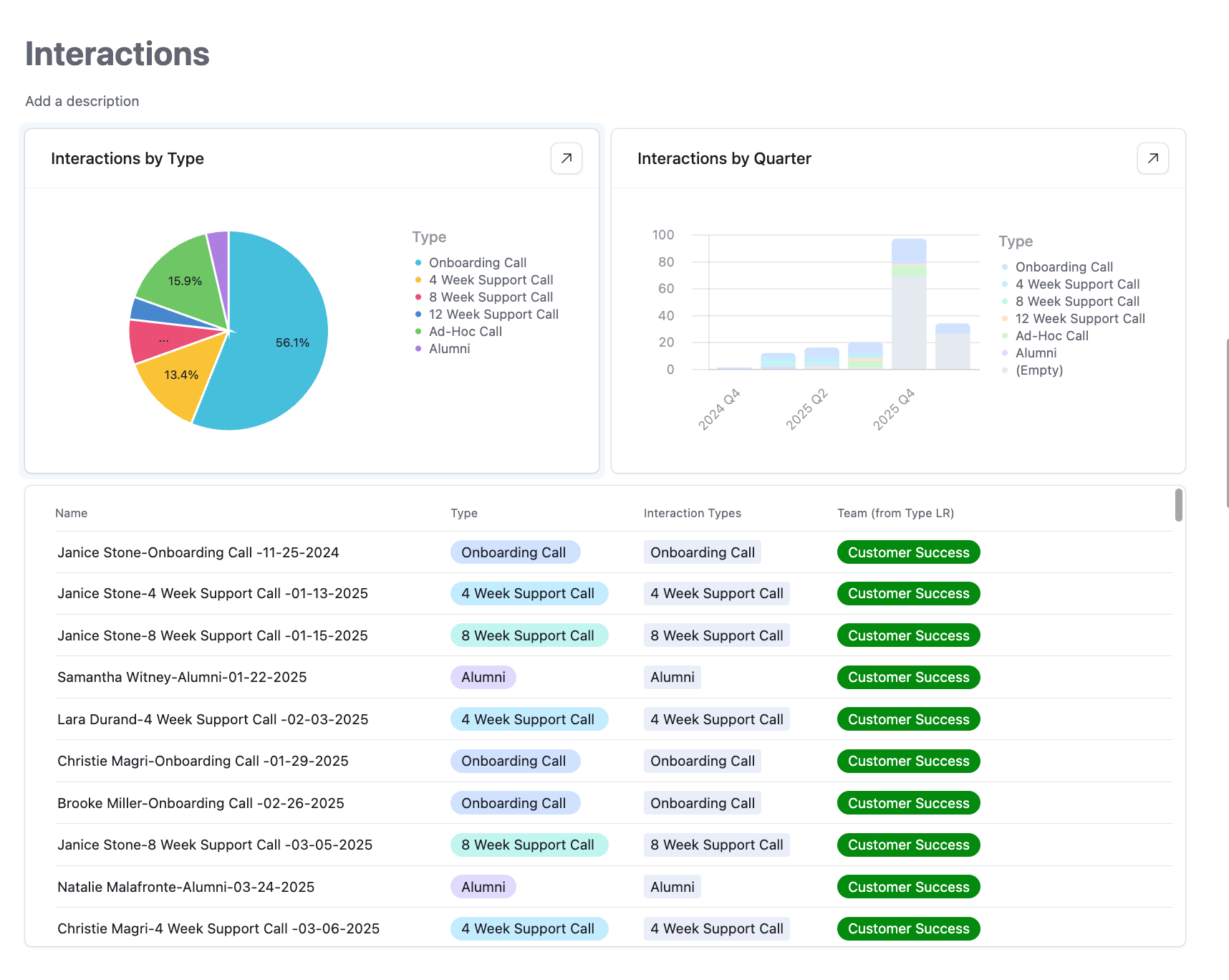
Every interaction logged — the full history of working with a client.
A list of names is not an operational system.
See the logic +Close −
A list of names is not an operational system. To ensure continuity, coaches log every call, touchpoint, and support ticket directly inside the client's file.
Because the underlying tables are linked relationally, anyone on the team can open a single profile and see the exact history of that client's journey in one place.
05
The business owner can see where the program succeeds and where it fails.
A founder needs macro patterns, not raw spreadsheet rows.
See the logic +Close −
When you have multiple program tiers, a founder needs macro-level patterns, not raw spreadsheet rows. The primary business dashboard rolls up the ground-level data the coaches use every day to display cohort trends, renewal windows, alumni-upgrade pipelines, and individual coach performance metrics dynamically.
- THE LIFECYCLE
How the client moves through it.
- the SHIFT
What changed for the business.
FOR THE OWNER
The whole program at a glance
Client health, renewals, and team performance roll up from the same records the coaches use — so the high-level picture is always real, never a stale report.
FOR THE COACHES
60 clients, none slipping through.
Each coach sees only their roster, with check-ins flagged and activation points tracked — so a client at risk shows up before they quietly disappear.
FOR THE CLIENTS
A program that remembers them.
Every check-in, call, and milestone lives on their record, so the coaching is built on their actual history — not on whatever someone remembers.
READY TO WORK?
Ready to work together?
Now that you've seen what we can do for other clients,
let's get started on your project!
HighLevel systems for service businesses.
HighLevel Certified Specialist.

On this side of the internet we fully celebrate all colors, genders, and lifestyles and fully back minority and LGBTQ led businesses.
And honey, if you can’t roll with that consider this one less tab in your browser to keep open.
Based in Atlanta. Working with service businesses nationwide.